Backup#
This guide explains how to create one-time and scheduled backups for your virtual machine (VM), view existing backups, and restore them when needed.
What types of backups can I create?#
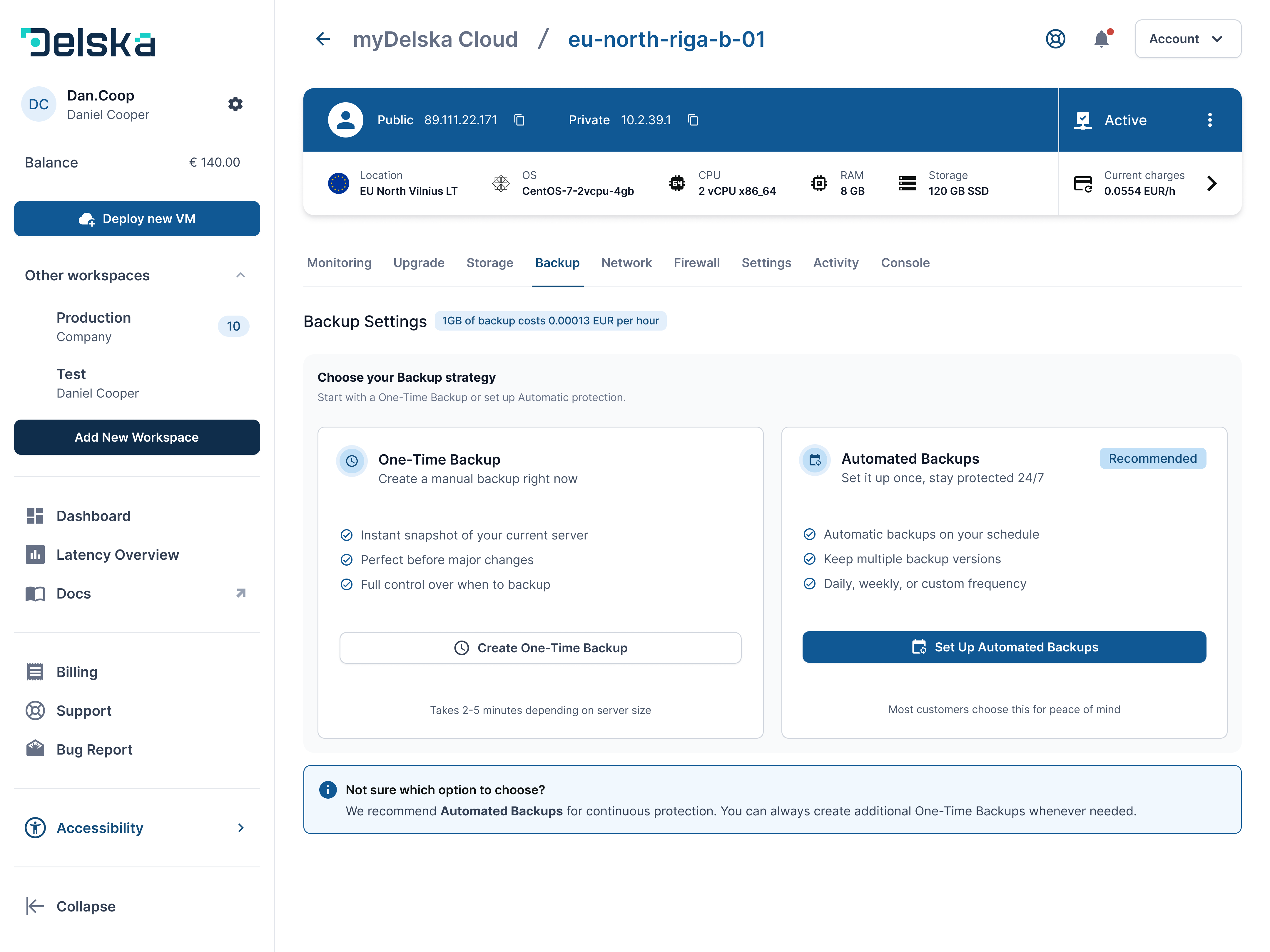
You can create and use two backup types at the same time: a One-Time Backup and a Scheduled Backup.
- Scheduled Backup — created automatically according to the schedule you define. You specify the frequency, days, and time when the backup should run, and how many copies to keep.
- One-Time Backup — a single backup of your data created on demand, dated at the moment you launch it.
How many backups can I make for my VM?#
You can make an unlimited number of backups for your VM. Note that each GB of backup storage is charged hourly (see backup pricing below).
What happens to VM backups if I delete the VM?#
If you delete a VM, all its data and its backups are lost. If you need the data, restore or download it before deleting the VM.
How can I create a backup for my VM?#
To create a backup for your VM, follow the steps below:
- Open your instance in the Dashboard section.
- Open the Backup section.
- Select the backup type: Create One-Time Backup or Add Scheduled backup.
For a one-time backup:
- Select Create One-Time Backup.
- Enter a backup name or keep the default name (One time @ date).
- Click Create backup.
For a scheduled backup:
- Select Add Scheduled backup.
- Set the name, schedule (Daily/Weekly/Monthly), time and timezone, and how many copies to keep.
- Click Save.
Open your instances in myDelska to set up backups.
Where can I see a list of my backups?#
To see the list of your backups:
- Open the Dashboard.
- Select the virtual machine.
- Open the Backup section.
How to restore a backup#
To restore a backup, follow the steps below:
- Open your instance in the Dashboard section.
- In the Backup section, select the previously created backup you want to restore.
- Click the Restore button.
Please note: The restore process creates a new VM with the name prefix
restored-*. Your original VM is not overwritten. The new VM counts toward your Workspace VM limit.
What is the cost of a backup?#
Backup storage costs €0.00013 per GB per hour. See Billing Methods for how hourly charges work.
Backup best practices#
- Schedule daily backups at off-peak hours (e.g. at night for your users’ timezone) and keep at least 7 copies, so you can roll back to any day of the past week.
- Create a one-time backup before risky changes — OS upgrades, application migrations, or a VM plan upgrade.
- Test your restores. A backup you have never restored is only a hope. Restore a backup once in a while and check that the
restored-*VM boots and the data is intact, then delete it. - Keep an independent copy of critical data. Backups are deleted together with the VM and stop with an unpaid Workspace, so export truly critical data (database dumps, uploads) to storage outside the platform as well.
- Keep payments up to date — if a payment is not completed, services and eventually their backups are removed, see Troubleshooting.
Next steps#
Open in myDelska Platform#
Open a VM's Backup tab in myDelska directly.